What Does Blue Tick Mean on WhatsApp?: 15+ Amazing Facts You Should Know
What Does Blue Tick Mean on WhatsApp? Discover the real meaning, hidden reasons blue ticks don’t appear, privacy tips, and expert fixes.
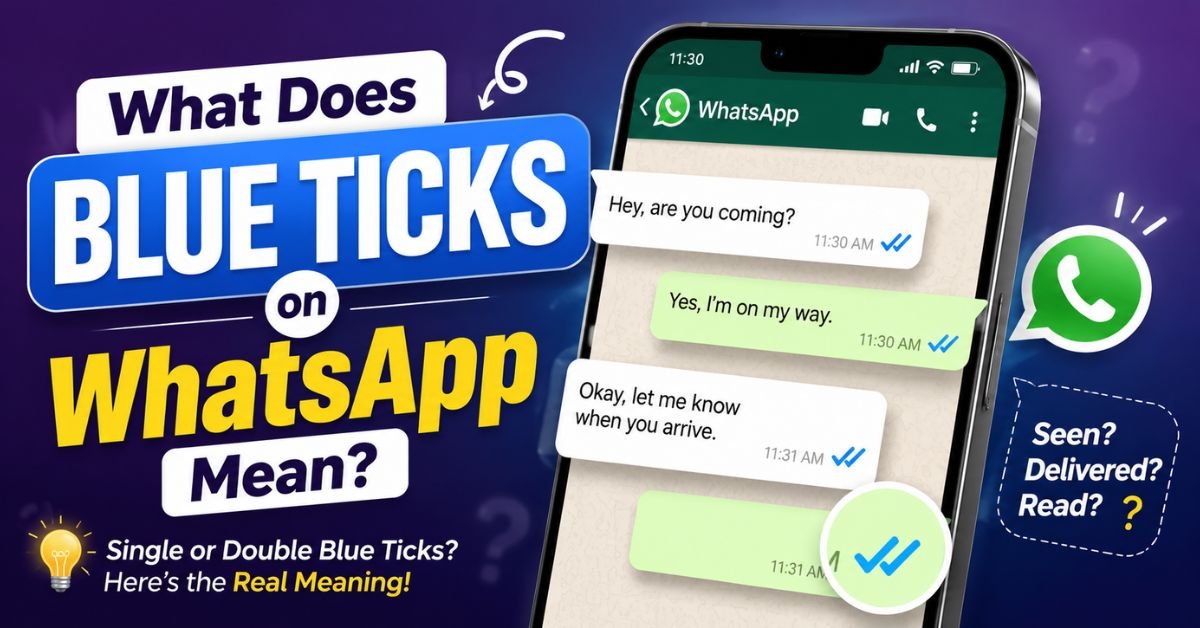
What Does Blue Tick Mean on WhatsApp? Simply put, two blue ticks mean your message has been opened and read by the recipient. They are part of WhatsApp read receipts, confirming that the other person viewed your message—not necessarily that they’ll reply right away.
If your blue ticks aren’t showing or you’re unsure what they really mean, you’re not alone. Small details like privacy settings, group chats, or voice messages can change how they work. This guide explains every situation in easy English, clears up common myths, and answers the questions most users have.
By the end, you’ll understand what blue ticks mean on WhatsApp, how WhatsApp blue ticks work, and why Blue ticks on WhatsApp don’t always tell the whole story.
You can also learn more about other WhatsApp symbols and messages in our guide about WhatsApp text meanings.
What Does Blue Tick Mean on WhatsApp? (Quick Answer)
The simple answer is this. Two blue ticks mean the recipient opened the chat and read the message. This is called a WhatsApp read receipt.
A WhatsApp blue tick does not always mean the person will reply immediately. They may be busy, driving, working, or simply waiting before responding.
What a blue tick confirms
- ✅ The message was delivered successfully.
- ✅ The recipient read the message.
- ✅ The message displayed on screen.
- ✅ Read receipt enabled for that conversation.
What a blue tick doesn’t confirm
- ❌ The person read every word.
- ❌ They agree with your message.
- ❌ They’ll reply immediately.
- ❌ They’re online right now.
Expert Tip: Think of a blue tick as opening a letter. It tells you the envelope was opened, not whether the person finished reading every page.
What Does Blue Tick Mean on WhatsApp?
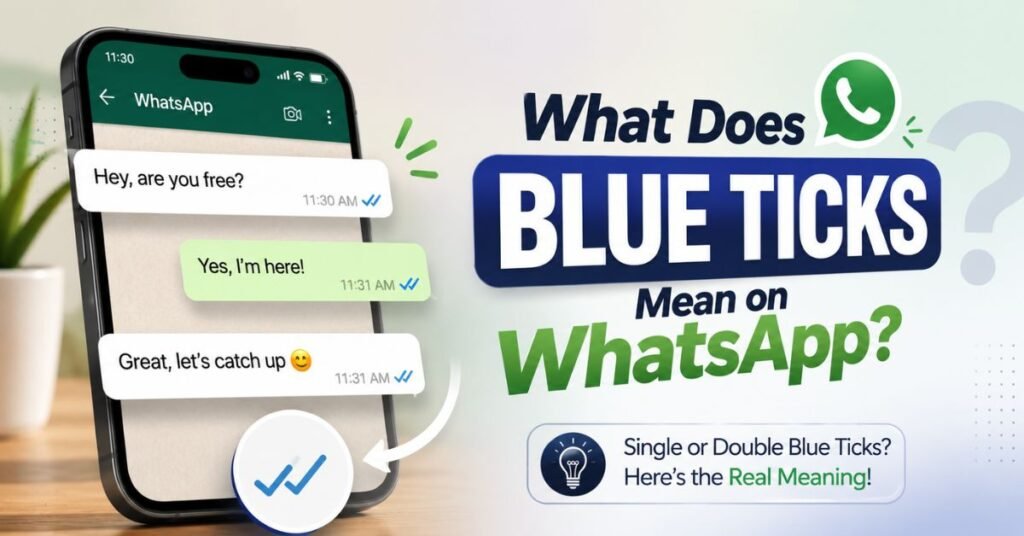
Many people search for the meaning of blue ticks because they confuse delivery with reading. These are two different things.
The Blue tick meaning is simple. It tells you the chat was opened, and your message became a message marked as read. This WhatsApp blue tick feature helps you know whether someone has viewed your message.
Why people find blue ticks useful
- They reduce uncertainty.
- They improve communication.
- They help confirm important messages.
- They make follow-ups easier.
Remember this
A Blue tick read receipt only confirms the message was opened by the recipient. It only shows the message status, not their feelings or reply time.
| Tick | Meaning |
| ✓ | Message sent |
| ✓✓ Grey | Message delivered |
| ✓✓ Blue | Recipient has read the message |
When Do Blue Ticks Appear on WhatsApp?
Many users ask why blue ticks appear instantly for some messages but not for others.
Normally, WhatsApp changes two grey ticks into blue after the other person opens your conversation. If they don’t open the chat, the ticks stay grey.
Blue ticks usually appear when
- The message reaches the recipient.
- The recipient opened the chat.
- Read receipt settings are active.
- The phone has an internet connection.
Blue ticks may not appear when
- Read receipt disabled.
- The person hasn’t opened the chat.
- The phone is offline.
- There is a connection problem.
Did You Know? Someone can read part of your message from a notification preview. In some situations, blue ticks not appearing doesn’t always mean your message wasn’t seen.
Why Are WhatsApp Read Receipts Called Blue Ticks?
The name comes from WhatsApp’s design. Messages first show grey check marks. The check marks become blue when the recipient reads the message.
Over time, users started calling them Blue check marks, Blue checkmarks, or simply blue ticks. Today, almost everyone recognizes this feature without hearing the words ” read receipt.
Why WhatsApp uses blue
- Blue stands out better than grey.
- It clearly shows a different message status.
- It’s easy to recognize at a glance.
The WhatsApp blue tick explained feature is one of the simplest ways to understand your WhatsApp blue tick status without opening extra menus.
What Happens After You Send a WhatsApp Message?
Every WhatsApp message follows the same journey. Understanding each step makes the tick system much easier.
| Stage | Status |
| Sent | One grey tick |
| Delivered | Two grey ticks |
| Read | Double blue tick |
Here’s what each stage means:
- One grey tick means your message left your phone.
- Two grey ticks mean it reached the recipient’s device.
- A double blue tick means the recipient has read the message.
This process is called WhatsApp read status, and it’s one of the app’s most useful communication features.
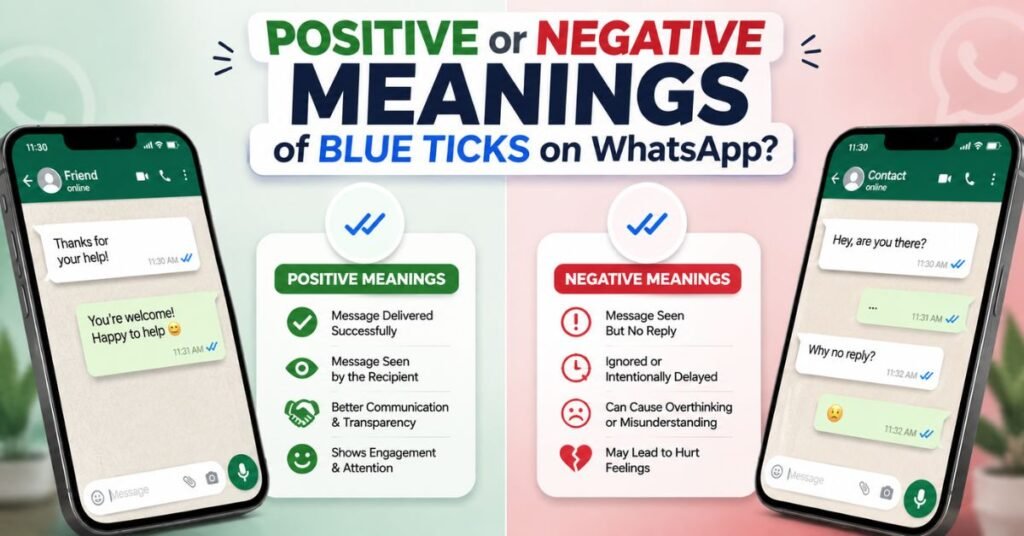
Positive Meanings of Blue Ticks on WhatsApp
Most of the time, Blue ticks on WhatsApp are a good sign. They show your message reached the right person and wasn’t lost because of internet or delivery issues.
This feature is especially useful when you’re sharing important information with family, friends, classmates, or coworkers.
Benefits of blue ticks
- ✅ Confirm your message was seen.
- ✅ Reduce confusion.
- ✅ Improve communication.
- ✅ Help with important conversations.
- ✅ Save time by avoiding unnecessary follow-ups.
Expert Insight: In professional communication, WhatsApp read receipts help confirm that meeting details, schedules, or urgent updates have reached the recipient.
Negative Meanings of Blue Ticks on WhatsApp
Although blue ticks are helpful, they sometimes create unnecessary stress. Many people assume they’re being ignored after seeing two blue ticks, but that’s not always true.
A person may have opened your message while working, studying, traveling, or attending a meeting. Reading a message takes only seconds. Writing a thoughtful reply often takes much longer.
Common misunderstandings
- ❌ Blue ticks don’t guarantee a reply.
- ❌ They don’t show someone’s mood.
- ❌ They don’t prove someone ignored you.
- ❌ They don’t tell you whether the message was fully read.
Expert Tip: Never judge a relationship based only on WhatsApp blue tick functionality. Always consider the person’s situation before assuming the worst.
Why Are My WhatsApp Messages Not Showing Blue Ticks?
If your WhatsApp blue tick isn’t showing, don’t panic. In most cases, it doesn’t mean you’re blocked. Several settings and situations can stop blue ticks from appearing even after your message reaches the other person.
The best way to find the reason is to check each possibility one by one instead of jumping to conclusions.
Common reasons why blue ticks don’t appear
- Read receipt disabled by the recipient.
- The recipient has not opened the chat yet.
- Poor internet connection.
- The phone is switched off.
- The message is still waiting to be delivered.
- Notification preview was used in some situations.
Expert Tip: A missing blue tick doesn’t always mean someone is ignoring you. Privacy settings are usually the real reason.
How to Turn Blue Ticks (Read Receipts) On or Off
WhatsApp lets you control your read receipt settings. If you prefer more privacy, you can disable them in a few seconds.
Keep in mind that this setting works both ways. If you stop others from seeing your read receipts, you also won’t view read receipt information from them.
On Android
- Open WhatsApp.
- Tap Settings.
- Select Privacy.
- Turn Read Receipts On or Off.
On iPhone
- Open WhatsApp.
- Tap Settings.
- Open Privacy.
- Enable or disable Read Receipts.
Before turning them off
- Blue ticks turned off means others can’t see when you’ve read messages.
- You also won’t see their read receipts.
- This setting doesn’t work the same way in group chats.
How Blue Ticks Work in Personal Chats vs Group Chats
Many people think blue ticks in personal chats and blue ticks in group chats work the same way. They don’t.
In a personal chat, two blue ticks appear after the recipient opened the chat. In a group chat, things work differently because several people receive the same message.
Personal chats
- One reader.
- One WhatsApp read receipt.
- Easier to understand message status.
Group chats
- Several recipients.
- Different people read at different times.
- You can see who has read your message.
Expert Tip: Long-press your group message and tap Info to check read time for every participant.
Do Voice Messages Always Show Blue Ticks?
Voice notes follow different rules than normal text messages. That’s why many users become confused about WhatsApp voice message blue ticks.
Unlike text messages, voice notes usually trigger blue ticks for voice messages after they’re played, even when someone prefers extra privacy.
Voice message facts
- Listening usually creates a read confirmation.
- Voice notes behave differently from text.
- Playback confirms the message was heard.
This is one reason why many users send voice notes when they need confirmation that important information was received.
Do Photos, Videos, Documents, and Status Updates Show Blue Ticks?
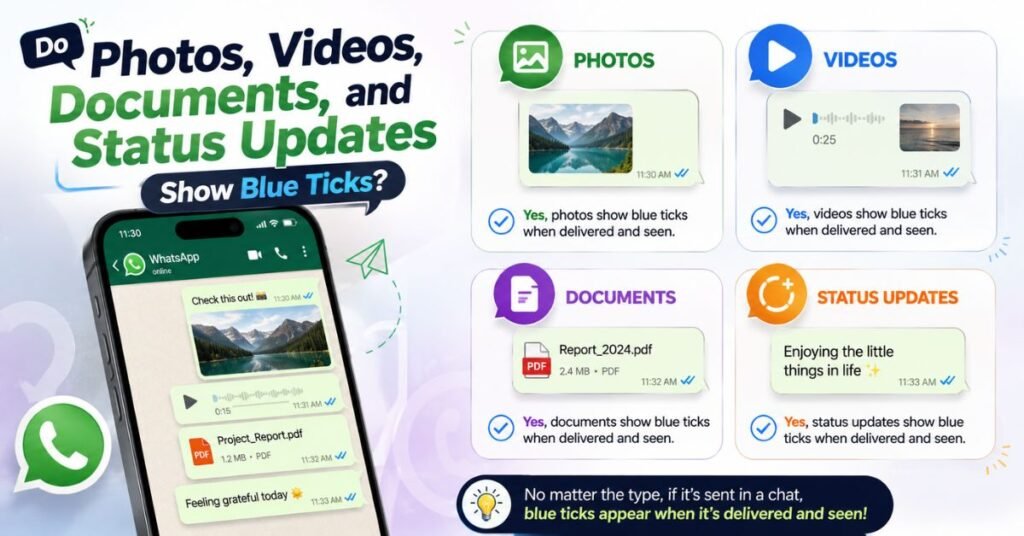
Yes. Most media files also use the WhatsApp read receipt system. However, each type behaves slightly differently.
Understanding these differences helps explain why blue ticks for photos, blue ticks for videos, and blue ticks for documents don’t always appear at the same time.
| Content Type | Blue Tick Behavior |
| Photos | Shows after opening |
| Videos | Shows after opening |
| Documents | Shows after opening |
| Status Updates | Shows after viewing |
Important things to remember
- Media must usually be opened.
- Viewing a Status creates its own read information.
- Internet connection still matters.
Do Edited or Deleted WhatsApp Messages Affect Blue Ticks?
Editing or deleting a message doesn’t remove an existing blue tick confirmation. Once a message receives a read receipt, changing the message won’t reverse it.
Many people believe deleting a message also removes its reading history. That’s a common misunderstanding.
What happens after editing?
- Edited message blue ticks remain.
- Read status doesn’t reset.
- The edited label appears instead.
What happens after deleting?
- Deleted message blue ticks don’t disappear.
- The read history stays the same.
- Only the message content changes or is removed.
Expert Tip: Editing improves accuracy, but it doesn’t change your message read status.
Can Someone Read Your WhatsApp Message Without Blue Ticks?
Yes. This surprises many users.
Someone may read your message without showing blue ticks if they changed their blue tick privacy settings or the recipient turned off read receipts.
Possible situations
- Read receipt disabled.
- Notification preview.
- Temporary connection issues.
- Certain privacy settings.
Remember that every situation is different. A missing blue tick should never be treated as proof that someone ignored you.
How to Check Exactly When Someone Read Your WhatsApp Message
If you want more than just blue tick visibility, WhatsApp lets you see the exact time your message was read.
This feature helps you check blue tick status without guessing.
Follow these steps
- Open the conversation.
- Press and hold your message.
- Tap Info.
- View the blue tick read time.
- See the blue tick timestamp.
You’ll see
- Delivery time.
- Read time.
- Complete WhatsApp read status.
Expert Insight: The Message Info screen gives far more accurate information than simply looking at the check marks. If you’re unsure whether your message was opened, this is the best place to verify it.
Does Blocking Someone Affect WhatsApp Blue Ticks?
Many people believe missing blocked contact blue ticks automatically mean they’ve been blocked. That’s not always true. A missing blue tick can also happen because of privacy settings or a poor internet connection.
If someone blocks you, your future messages usually remain on one grey tick because they aren’t delivered to that person’s device.
Signs you may have been blocked
- Messages stay on one grey tick.
- You can’t see their last seen or online status.
- Profile photo may stop updating.
- Calls don’t connect.
Expert Tip: Never assume you’re blocked based on one sign alone. WhatsApp does not directly inform users when they are blocked.
Does Airplane Mode Stop WhatsApp Blue Ticks?
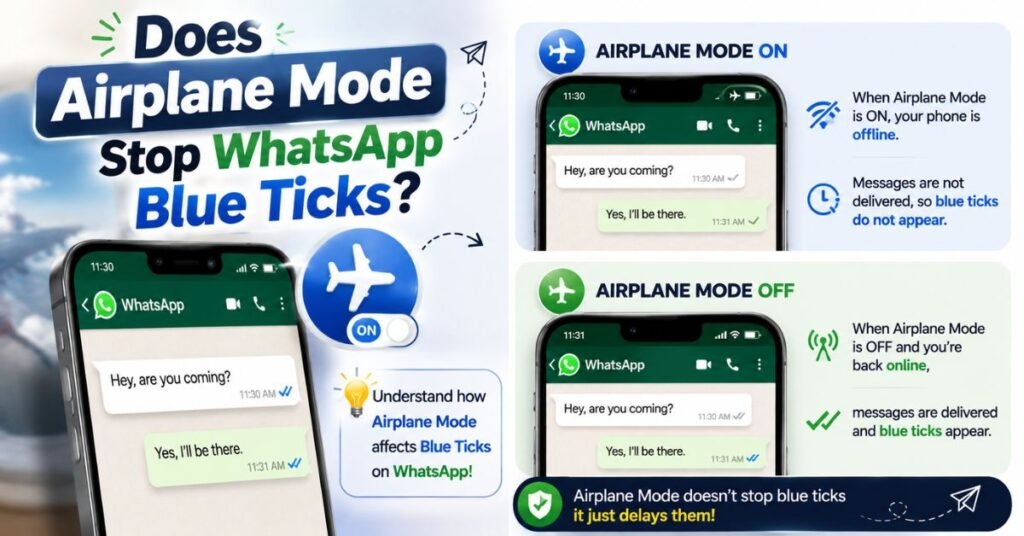
The Airplane Mode blue ticks trick has been popular for years. Some people believe they can read messages secretly by turning on Airplane Mode first.
While this trick may delay a read confirmation for a short time, it isn’t a permanent solution. Once the device reconnects to the internet, WhatsApp usually updates the message status.
What actually happens?
- Airplane Mode disconnects the internet.
- You can sometimes read messages offline.
- Once you’re online again, WhatsApp syncs data.
- Blue ticks appear if the conditions are met.
Expert Insight: Airplane Mode isn’t a reliable privacy tool. Read receipt privacy depends more on your WhatsApp settings than your phone’s flight mode.
Blue Tick vs Single Tick vs Double Tick – What’s the Difference?
Many users confuse WhatsApp’s three tick symbols. Knowing the difference helps you understand your blue tick message status instantly.
The table below explains each symbol in simple words.
| Tick | Meaning | Action Required |
| ✓ | Message sent to WhatsApp | Wait for delivery |
| ✓✓ Grey | Message delivered | Wait for the chat to be opened |
| ✓✓ Blue | Message has been read | Wait for a reply if needed |
Quick comparison
- One Grey Tick = Sent.
- Two Grey Ticks = Delivered.
- Double Blue Tick = Read.
This simple system makes the blue tick indicator one of WhatsApp’s easiest features to understand.
Common Myths About WhatsApp Blue Ticks
There are many myths about WhatsApp blue tick functionality. Believing them can lead to unnecessary confusion and misunderstandings.
Knowing the facts helps you use WhatsApp with confidence.
Myth vs Fact
| Myth | Reality |
| Blue ticks mean you’re ignored. | People may simply be busy. |
| Blue ticks always appear instantly. | Internet and settings affect them. |
| Airplane Mode always works. | It only delays syncing. |
| Blue ticks prove every word was read. | They only show the chat was opened. |
Expert Tip: Always rely on facts instead of social media rumors. Most blue tick myths come from misunderstandings, not official WhatsApp information.
Common Mistakes People Make About WhatsApp Blue Ticks
Small misunderstandings often create unnecessary stress. Many users assume the worst without considering other possibilities.
Instead of focusing only on the blue tick behavior, look at the whole situation before making conclusions.
Avoid these mistakes
- Assuming someone is ignoring you.
- Confusing delivery with reading.
- Forgetting about privacy settings.
- Ignoring internet connection issues.
- Expecting an instant reply.
Good communication depends on patience as much as technology.
How to Fix WhatsApp Blue Tick Problems
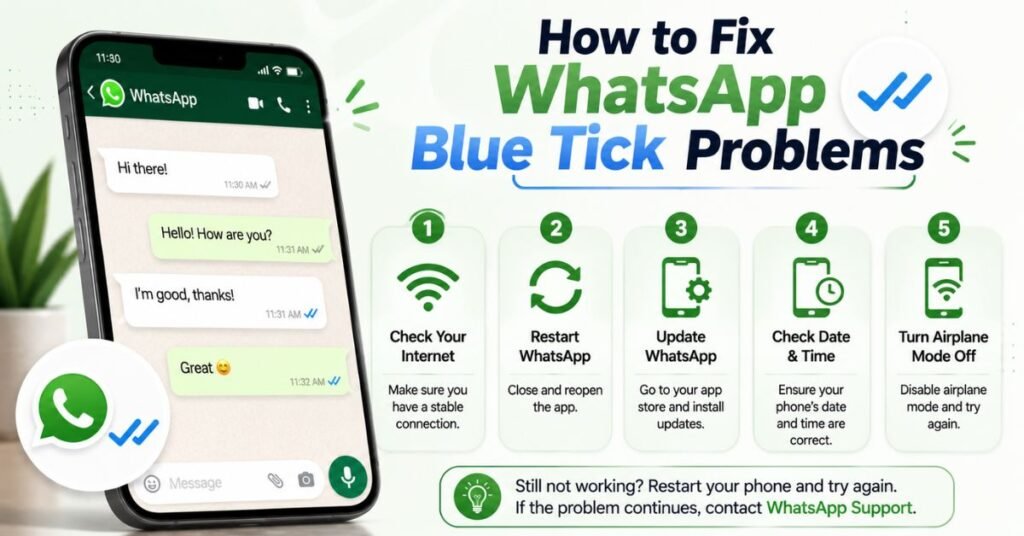
If your WhatsApp blue tick isn’t showing, don’t worry. Most issues can be fixed in just a few minutes.
Start with the easiest solutions before trying advanced troubleshooting.
Try these fixes
- Check your internet connection.
- Update WhatsApp.
- Restart your phone.
- Verify your read receipt settings.
- Make sure blue ticks are turned on if you want read receipts.
- Ask the other person to check their settings.
Expert Insight: Most blue tick issues are caused by privacy settings, not technical faults.
Tips for Using WhatsApp Blue Ticks More Effectively
Understanding blue tick privacy helps you communicate more confidently. Whether you’re chatting with friends or coworkers, knowing how read receipts work prevents confusion.
The goal isn’t to monitor people. It’s to understand how WhatsApp delivers information.
Best practices
- Respect other people’s privacy.
- Don’t expect immediate replies.
- Use read receipts wisely.
- Check message information before making assumptions.
- Keep WhatsApp updated.
These simple habits make conversations smoother and reduce unnecessary misunderstandings.
Frequently Asked Questions
What does it mean when someone blueticks you on WhatsApp?
When someone blueticks you on WhatsApp, it means they opened your chat, and your message was read. It doesn’t necessarily mean they’re available or ready to reply.
How do grey ticks and blue ticks differ on WhatsApp?
A grey tick means your message was sent or delivered, while a blue tick means the recipient has opened and read your message.
How do you know if someone reads your WhatsApp message without a blue tick?
If someone has turned off read receipts, you may not see blue ticks even after they read your message. They can also read messages from notification previews in some cases.
Can you see blue ticks on WhatsApp if read receipts are turned off?
No. If someone has turned off read receipts, you won’t see blue ticks even after they read your message. However, this rule doesn’t apply the same way to some features like group chats and voice messages.
Why do my WhatsApp messages have two grey ticks but no blue ticks?
Two grey ticks mean your message was delivered to the recipient’s device but hasn’t been marked as read. This can happen if they haven’t opened the chat yet or if they’ve disabled read receipts.
Final Thoughts
Now you know what a blue tick means on WhatsApp and how WhatsApp blue ticks work. A blue tick confirms that your message was opened and read, but it doesn’t always mean the person is available or ready to reply. Privacy settings, internet issues, group chats, and voice messages can all affect how read receipts appear.
By understanding WhatsApp read receipts, message statuses, and common exceptions, you can avoid confusion and use WhatsApp more confidently. The next time you see a blue tick, you’ll know exactly what it means—and what it doesn’t.